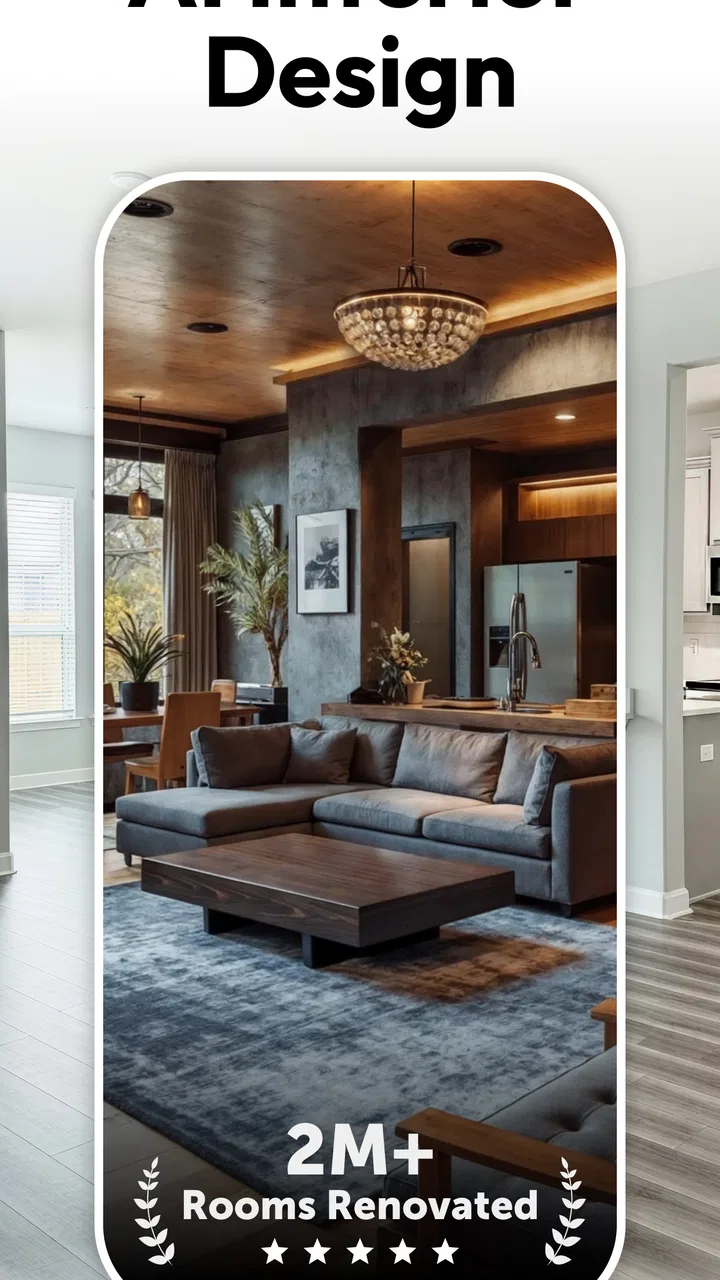
AI Interior Design - Interio
- 4.5
- Rating
- 1.00M
- Installs
- Free
- Price

 Analysis by App-foxy
I approached AI Interior Design - Interio as a practical room-planning tool rather than a replacement for an architect or decorator. Its main appeal is simple: you can use artificial intelligence to explore different ways of arranging and decorating an interior space before spending money on paint, furniture, or accessories. In my experience, that makes it most useful during the uncertain stage when you know a room feels wrong but cannot yet explain what needs to change.
What makes the app interesting is the speed of the conversation between an existing room and a possible new version of it. Instead of collecting dozens of unrelated inspiration images, I can start with the space in front of me and use that as the basis for ideas. The results are not a final renovation plan, but they can help turn a vague preference into something visible and easier to discuss with another person.
Developed by Deep Flow Apps, this free House & Home app is aimed at everyday users, not only design professionals. It has a 4.7 average from around 36 thousand ratings and more than a million installs, which suggests that the concept has reached a broad audience. The app is rated for Everyone, runs on Android six and later, and its current version is 5.1.2. Optional in-app purchases range from $4.99 to $39.99 per item, so the free starting point is attractive, but I would still check what is included before relying on it for a large project.
You May Also Like

 Blood Strike: 2.5 Anniversary
Blood Strike’s Loadouts Turn Every Drop Into a Tactical Gamble
A close look at Blood Strike’s custom loadouts: how fast access to signature weapons reshapes its battle royale rhythm, rewards preparation, and narrows the gap between fights.

 Pandora - Music & Podcasts
Pandora’s Music Is Easy to Start, but Harder to Recover
Pandora’s strength is its low-effort path from a seed to a station. Its weak spot is how much confidence it asks you to place in connection, setup, and quiet recovery.

 8 Ball Pool
 Is Built on Rivalries, Rematches, and Routine
A close look at the rivalries, rematches, shared routines, and unanswered safety questions that turn a quick pool match into a persistent mobile community.

 Samsung Music
’s Quiet Strength Is Playing What You Already Own
Its reach comes less from spectacle than from dependable access to a personal library. That simplicity is both the app’s strongest retention engine and its ceiling.

 AccuWeather: Weather Radar
AccuWeather Review: A Quick, Clear Forecast for Everyday Decisions
For everyday plans, the best forecast is the one you can understand quickly. AccuWeather makes rain timing, radar, and local conditions easy to act on, with a few trade-offs.

 Hill Climb Racing
Why Hill Climb Racing Still Turns Crashes Into One More Run
A tiny car, a bumpy hill and one more upgrade: Hill Climb Racing keeps resurfacing because its simple chaos makes every near-miss feel personal.
More From Our News Desk
View All News


How the AI experience works in real decorating decisions
I use AI room concepts most effectively when I treat them as a way to sharpen a decorating decision, not as a verdict on what the room should become. In this section, I’ll focus on how to turn an appealing image into a useful brief: identify what you want to change, keep the parts of the room that cannot change in view, and carry the strongest idea into a conversation or shopping plan.
Starting with a room instead of a blank canvas
The strongest part of Interio is that it gives me a visual starting point. Traditional interior-design apps often begin with a catalog, a floor plan, or a room that has to be built manually. That approach can be useful, but it also asks the user to understand proportions, furniture dimensions, and layout tools before seeing anything helpful. An AI-based workflow reverses that order: the room itself becomes the starting material, and the app helps suggest a direction.
That distinction matters when I am dealing with a familiar everyday problem, such as a living room that feels crowded. I might photograph the space, consider a lighter style, and use the generated concept to think about what should disappear, move, or change color. Even if the visual result is not something I would copy exactly, it can reveal that the real issue is too much dark furniture, poor visual balance, or a lack of open floor area.
I would treat each result as a design prompt, not as a construction instruction. Artificial intelligence can make a room look polished while overlooking details that matter in real life: door swings, radiator clearance, electrical outlets, storage needs, pets, children, or the amount of daylight available. The app is therefore better at helping me compare moods and broad arrangements than at guaranteeing that every proposed object will fit.
Where connectivity becomes part of the experience
The most important practical point is that an AI design workflow depends on communication between the phone and the service processing the request. When I submit a room image or ask for a new direction, the waiting period becomes part of the experience. A strong connection makes the process feel like a quick creative exchange; an unstable one can make the same idea feel uncertain because I am waiting to see whether the request has completed.
This affects how I use the app. I would not make it the centerpiece of a house visit where I have to produce several concepts immediately without checking the connection first. Instead, I would prepare a small set of clear room photos and run the most important ideas when I have dependable access. That simple change reduces frustration and prevents me from repeatedly sending the same request when the first attempt may only be delayed.
Connectivity also changes the rhythm of experimentation. With a reliable network, I can compare a warm minimalist direction with a more colorful one while the room is still fresh in my mind. If the connection is poor, I am more likely to lose the creative thread or settle for the first acceptable result. For me, this means the app works best as a planned visual workshop rather than as an instant answer while walking through a furniture store.
A realistic weekend use case
Imagine that I am preparing a small bedroom for a family member. The room contains a bed, a narrow wardrobe, and a desk, but it feels darker and tighter than expected. On Saturday morning, I could take a few careful photos, decide whether I want a calm, bright, or more contemporary atmosphere, and use the app to explore those directions. I would then compare the concepts with the actual room, keeping only ideas that respect the window, the walking path, and the furniture that must stay.
The useful outcome would not be a shopping list generated by magic. It would be a clearer decision about the room’s priorities. Perhaps the bright version shows that lighter wall colors matter more than replacing the desk. Perhaps the contemporary version makes the wardrobe look too dominant, revealing that storage is the visual problem. This is the kind of insight I find more valuable than simply producing an attractive image.
For a shared household, the images can also make conversations easier. Saying “I want the room to feel less heavy” is subjective. Showing two different visual directions gives everyone something concrete to react to. However, I would still measure the room separately and confirm products in person or through a retailer. A generated image can inspire a purchase, but it should not be the sole reason for making one.
Using it comfortably on a phone
Interio is naturally suited to mobile moments because room ideas often occur away from a desk. I can imagine using it while standing in a hallway, visiting a new apartment, or looking at a room before deciding whether a rental needs cosmetic changes. The phone format makes it easy to keep the current space and the imagined version close together, which is helpful when judging whether a suggestion feels realistic.
That convenience has a trade-off. A phone screen is good for mood, color relationships, and broad visual impact, but less reliable for fine details. Small differences in furniture scale or trim may be easy to miss. I would avoid judging an entire renovation from a quick glance on a small display. If a concept seems promising, I would inspect it again more carefully and compare it with measurements and photographs of the real room.
Photo preparation makes a bigger difference than many new users expect. I get more useful guidance when the room is visible, reasonably well lit, and photographed from a position that shows the main walls and floor. A cluttered image can still represent real life, but it gives the design process more distractions to interpret. Before submitting an image, I would move temporary items out of the way while leaving fixed elements, such as windows and built-in storage, clearly visible.
I would also take separate views rather than expecting one photograph to explain every corner. A wide image can show the overall balance, while another angle may reveal a blocked passage or an awkward corner. This is one of the more practical ways to use the app: not as a single-button makeover, but as a series of focused observations about the same room.
Recovering when a result is disappointing
AI design results are not equally useful every time. A concept may look attractive but ignore the room’s proportions, change an element that needs to remain, or introduce a style that does not suit the household. I would not interpret a weak result as proof that the room has no potential. Often, the better response is to narrow the request and change the input image rather than repeatedly asking for a completely different makeover.
For example, if a living-room concept keeps making the space look crowded, I would first remove visual clutter from the source photo and try a direction focused on openness. If the colors feel wrong, I would test a different atmosphere without changing every other variable at the same time. Making one meaningful change per attempt helps me understand whether the improvement came from the style, the image, or the way I framed the room.
Network interruptions require a different kind of patience. If a request appears not to finish, I would first check the connection and give it a moment before submitting another one. Repeating an action too quickly can create confusion about which result belongs to which idea. I would also keep any especially useful room photo and note the design direction I was testing, so that a temporary interruption does not force me to reconstruct the whole experiment.
Another recovery habit is to save or record the ideas that genuinely help before moving on. I would keep a short note beside each preferred concept, such as “lighter walls,” “less furniture near the window,” or “warmer lighting.” That turns visual inspiration into an actionable shortlist. Without those notes, it is easy to collect attractive images and still remain unsure what to do in the actual room.
Being sensible with photos and mobile data
Because the experience revolves around room images and online processing, I would be deliberate about what I upload. A photograph of a room can reveal more than decoration: it may show family pictures, paperwork, addresses, valuables, or personal routines. Before using the app, I would remove anything unnecessarily private from view and crop out areas that do not contribute to the design question.
This is not about making the room look artificial. It is about separating useful design information from unrelated personal information. The sofa, walls, windows, and floor may be essential; a document on a table usually is not. A quick check before submission is a small habit that makes mobile experimentation more comfortable.
Connectivity has a data-cost angle as well. Image-based requests can be less convenient on a limited mobile plan than on a trusted Wi-Fi connection. If I were comparing many styles, I would plan that session rather than sending repeated experiments while away from home. That also encourages better prompts and better photographs, which improves the quality of the whole process instead of treating each attempt as disposable.
I would not assume that every generated image should be shared publicly. A design concept may include recognizable details from the home, and the image can still communicate where someone lives even when no address is visible. Keeping the results private unless there is a clear reason to share them is a sensible part of using a connected home-design tool.
What the free model means for different users
The fact that the app is free to install makes it easy to test without committing immediately. That suits someone who has one room to rethink, wants to explore a style before painting, or simply enjoys visual experimentation. The presence of in-app purchases means I would pay attention to the point at which continued use or particular options require spending. A free download is not the same as unlimited access to every part of the experience.
For a casual user, that may not be a serious obstacle. A few useful concepts can be enough to make a decorating decision. For someone planning a whole home, however, the cost of repeated exploration deserves consideration. I would begin with the rooms that create the biggest practical problem and avoid generating variations merely because they are entertaining. This keeps the app’s value tied to decisions rather than to an endless collection of images.
The age rating of Everyone also makes the app approachable in a family setting. I can see it being useful for letting children suggest colors or themes for a bedroom, while an adult handles measurements, budget, and final choices. The rating does not remove the need for supervision around purchases or sharing images, but it does make the basic creative activity easy to introduce at home.
Where it beats traditional alternatives—and where it does not
Compared with browsing social media or image boards, Interio has the advantage of starting from my own room. Inspiration feeds are excellent for discovering styles, but they often show spaces with different proportions, lighting, and budgets. A concept based on my actual interior is more relevant, even when it remains an approximation.
Compared with manual room-planning software, the app is less demanding at the beginning. I do not need to construct every wall and object before getting a visual idea. That makes it better for early exploration and for people who find technical design tools intimidating. Manual planners remain stronger when exact dimensions, furniture placement, and repeatable floor plans matter more than atmosphere.
Compared with hiring an interior designer, Interio is faster and much less personal. It can help me arrive at a clearer brief, but it does not replace a professional’s ability to balance lifestyle, building constraints, materials, lighting, and budget. I would use it before a consultation to communicate what I like, not instead of expert advice for structural work or a complex renovation.
It is also not the right choice for someone who wants a precise product-matching service or a technical construction document. The app’s value is in visual direction. If my main question is whether a particular cabinet will fit between two walls, a measuring tool or a dimension-focused planner is the better first step.
Who will get the most from Interio
I recommend it most to renters, first-time decorators, homeowners testing a new style, and anyone who struggles to imagine change from a verbal description. It is especially useful when the decision is emotional but the consequences are practical: choosing between a calm and energetic color scheme, deciding whether a room needs less furniture, or finding a visual direction before shopping.
I would be more cautious recommending it to users who need exact architectural accuracy, detailed renovation documentation, or guaranteed object dimensions. The same is true for anyone with a very limited connection who expects a smooth sequence of immediate results. The app can still be interesting, but the network and interpretation steps may make it less convenient than a locally focused planning tool.
My best advice is to use it in stages. First, photograph the room honestly. Next, identify one problem rather than asking for a total transformation. Then compare a small number of distinct directions. Finally, translate the winning idea into measurements, a budget, and real products. That workflow prevents the most common mistake: confusing a beautiful concept with a workable plan.
My connectivity verdict
AI Interior Design - Interio works best when I treat connectivity as part of the creative process, not as an invisible technical detail. A dependable connection supports quick comparison, while a weak one encourages rushed repeats and interrupts the flow of decision-making. Preparing images in advance, using focused requests, and choosing a suitable network makes the experience noticeably more manageable.
After using it as a room-ideation tool, I see a clear place for it in the home-design process. It is not a measuring instrument, an architect, or a guarantee that a generated arrangement will work in real life. Its strength is helping me move from “something feels off” to a few visible possibilities. Use it to clarify your taste and your room’s priorities, then verify every practical detail yourself.
With its free entry point, approachable mobile format, and broad appeal, this app is worth trying if you want quick visual direction before making decorating decisions. I would keep expectations realistic, protect personal details in room photos, and avoid depending on it during an unreliable connection. Used that way, Interio is a useful companion for early-stage decorating—particularly when inspiration alone is too general and a full professional design service is more than the project requires.
FAQs for AI Interior Design - Interio
01What is AI Interior Design - Interio and how does it work?
AI Interior Design - Interio is an innovative app that uses artificial intelligence to help users design their living spaces. By uploading photos of your room, the app provides design suggestions, furniture recommendations, and color palettes. It analyzes space dimensions and aesthetics to offer personalized design solutions, making interior decoration accessible and fun.
02Is AI Interior Design - Interio suitable for professional designers?
Yes, AI Interior Design - Interio is suitable for both amateurs and professionals. While it offers user-friendly features for beginners, its advanced AI tools provide detailed design suggestions that can be useful for professional designers looking to enhance their creative process or gain new insights into design trends.
03Does AI Interior Design - Interio require an internet connection to function?
AI Interior Design - Interio requires an internet connection for its AI features, such as generating design suggestions and accessing the latest design trends. However, once designs are downloaded or saved locally, users can access them offline. Regular updates and cloud-based features benefit from a stable connection.
04How customizable are the design suggestions in AI Interior Design - Interio?
Design suggestions in AI Interior Design - Interio are highly customizable. Users can adjust furniture placement, color schemes, and decorative elements to fit their personal style. The app allows for manual tweaks to its AI-generated designs, ensuring that each user can achieve a unique and personalized interior look.
05What devices and platforms support AI Interior Design - Interio?
AI Interior Design - Interio is available on both Android and iOS platforms, ensuring a wide range of compatibility with smartphones and tablets. The app is designed to function smoothly across different devices, providing a seamless user experience whether you’re using a phone or a larger tablet screen.
Pros
- User-friendly interface for easy navigation.
- Wide range of design templates available.
- Real-time 3D visualization feature.
- Customizable color and texture options.
- Supports both online and offline mode.
Cons
- Limited free content in the basic version.
- Occasional slow rendering of 3D models.
- Requires a stable internet for updates.
- In-app purchases can become costly.
- Some features locked behind a paywall.

AI Interior Design - Interio
Gallery